FC 26 Controls: Full Button Map and Best Competitive Settings

- Biggest change: Timed Finishing is gone. There is no green-timed shot in FC 26.
- New low driven shot: double-tap shoot for a low driven shot, and it now layers into low driven finesse and low driven power.
- Also removed: Agile Dribbling (the old L2+R2 / LT+RT) is gone this year.
- Best competitive setting: set through-ball passing to Semi. The v1.1.0 update made through balls less assisted, so placement matters more.
Related: Controls are step one. Once you have them, learn the skill moves worth using and the PlayStyles that make a card play better.
The essential control scheme
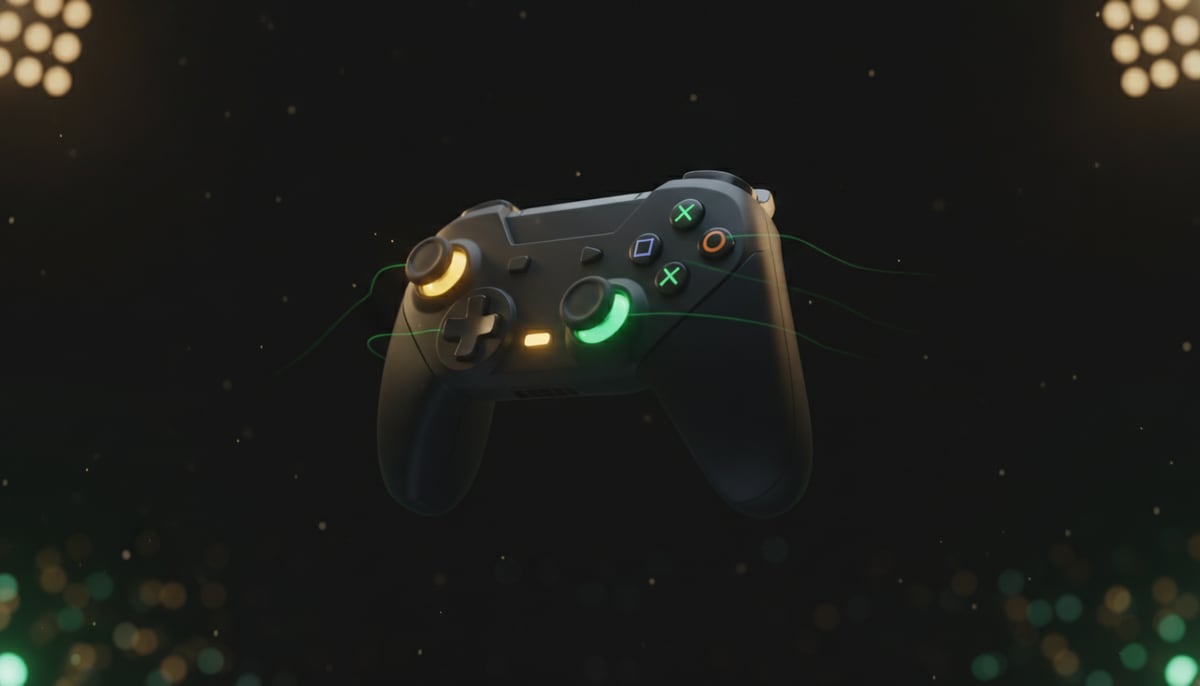
FC 26 uses the long-standing Classic control layout. PlayStation buttons are listed first, Xbox second. These are the inputs you will use in almost every attack and every defensive situation.
| Attacking | PlayStation | Xbox |
|---|---|---|
| Ground pass | X | A |
| Lob pass / cross | Square | X |
| Through ball | Triangle | Y |
| Shot | Circle | B |
| Finesse shot | Hold R1 + shoot | Hold RB + shoot |
| Chip shot | Hold L1 + shoot | Hold LB + shoot |
| Low driven shot | Double-tap shoot | Double-tap shoot |
| Sprint | Hold R2 | Hold RT |
| Defending | PlayStation | Xbox |
|---|---|---|
| Contain / tackle | X | A |
| Jockey | Hold L2 + direction | Hold LT + direction |
| Teammate contain (second man) | Hold R1 | Hold RB |
| Slide tackle | Square | X |
| Switch player | L1 | LB |
Two buttons do double duty depending on whether you have the ball. R1 (RB) is the finesse modifier in attack and teammate contain in defence; L1 (LB) is the chip modifier in attack and switch player in defence. The game knows which you mean from the situation, so you never have to think about it.
What FC 26 changed
The control map looks familiar, but EA made real changes this year, confirmed in the launch Pitch Notes. These are the ones that actually change how you play, and most older guides miss them.
| Change | What it means |
|---|---|
| Timed Finishing removed | There is no second tap to green-time a shot. Every finish is a normal shot now, which lowers the skill ceiling on finishing but removes a common way to fluff easy chances. |
| Low driven is now a modifier | Double-tap shoot for a low driven shot. You can layer it: hold R1 or RB and double-tap shoot for a low driven finesse, the meta finish for many strikers. |
| Agile Dribbling removed | The old L2+R2 (LT+RT) agile dribble is gone. EA cut it for low usage and to keep shielding consistent. |
| Player switching sharper | The on-screen switch indicator and feedback are more responsive, so manual switching with L1 or LB is more reliable. |
One mid-season change matters too. The v1.1.0 update (October 2025) raised jockey and sprint-jockey responsiveness, and made through passes less assisted. That second one is why your passing settings now matter more than they used to, which leads straight into the settings below.
The best competitive settings
Settings are partly personal, but a few have a clear competitive consensus among high-level FC 26 players. The single most impactful change is the passing assistance.
Through Pass Assistance: Semi. This is the one setting worth changing on day one. Semi-assisted through balls reward you for aiming them, instead of the game over-correcting a lazy pass into a defender's feet. After v1.1.0 made through balls less assisted by default, Semi is the sweet spot: more control than Assisted, far more forgiving than Manual. Set Lobbed Through Pass to Semi as well, and leave Ground Pass, Cross and Lob on Assisted unless you are an advanced player.
Auto Switching: Air Balls and Loose Balls. This lets the game help you switch only on 50-50s and headers, where reactions are too slow to switch by hand, while you keep full manual control (L1 / LB) the rest of the time. Pair it with Advanced Defending rather than Tactical Defending for the full tackle and jockey toolkit.
Trainer and overlays: off. The on-pitch trainer arrows clutter the screen and teach habits you outgrow fast. Turning them off also gives you a cleaner view of runs and space.
One honest disagreement: on Switching Reference, some guides recommend Ball Relative (switch toward the ball) while many pros prefer Player Relative (switch by stick direction). Try both for a few games. Player Relative gives you more deliberate control once you are used to it, which is why most competitive players land there.
The inputs that win more games
Knowing the buttons is not the same as knowing which ones matter. Four habits separate good FC 26 players from button-mashers, and none of them need a five-star skiller.
Jockey constantly on defence. Holding L2 or LT to jockey keeps you goal-side and patient instead of diving in. With FC 26's faster jockey after v1.1.0, contain-and-jockey beats a lunging tackle in almost every one-on-one.
Switch by hand. Use L1 or LB to pick your defender rather than letting the game choose. With auto switching limited to air and loose balls, manual switching keeps you in control of who presses.
Learn the low driven finesse. Hold R1 or RB and double-tap shoot. It is one of the most reliable finishes in the game right now and the main reason to drill the new low driven input.
Do not hold sprint. Constant R2 or RT makes your touches heavy. Knock the ball into space when the lane is open, then ease off to keep close control, the same balance the shape in our formations guide is built to protect.
Competitive vs Authentic gameplay
FC 26 splits its gameplay tuning into two presets. Competitive is the faster, more responsive setting used in online Ultimate Team and Clubs, built around quick, skill-expressive play. Authentic is the slower, more simulation-like tuning aimed at offline Career Mode, where animations play out more fully and the game feels closer to real football. You do not pick this like a normal setting in most modes, it is tied to where you are playing, but it explains why a Career Mode match feels heavier than a Rivals game even with identical controls.
PC, keyboard, and changing your controls
A controller is the standard for FC 26 on every platform, and on PC you can plug in a PlayStation or Xbox pad and the same button maps above apply. Keyboard and mouse work and can be fully rebound, but almost no competitive player uses them, so a cheap controller is the single best upgrade if you are on PC. To change any of this, open the in-game Settings, then Game Settings and Controller Settings, where you can switch assistance levels, swap to the Alternate control scheme, or remap individual buttons. Change one thing at a time and play a few games before changing the next, so you can feel what each setting actually does.
How we verified this
The removed mechanics (Timed Finishing, Agile Dribbling), the low driven shot change, the player-switch responsiveness and the two gameplay presets all come from EA's official FC 26 Pitch Notes. We cross-checked the button map and competitive settings against RealSport101 and Red Bull, and deliberately ignored a widely-copied controls table that had several buttons wrong. Settings can shift with title updates, so we date this: verified June 2026.
Frequently asked questions
What are the basic FC 26 controls?
Ground pass is X (A on Xbox), shot is Circle (B), through ball is Triangle (Y), lob and cross are Square (X), and sprint is held R2 (RT). On defence, X (A) contains and tackles, hold L2 (LT) to jockey, and L1 (LB) switches player.
What did FC 26 change about the controls?
EA removed Timed Finishing and Agile Dribbling, and made the low driven shot a double-tap of shoot that can layer into low driven finesse and power. Player switching feedback was also made more responsive.
How do you do a low driven shot in FC 26?
Double-tap the shoot button (Circle, or B on Xbox). For a low driven finesse, hold R1 (RB) and double-tap shoot. It is a controlled, low finish that many strikers use as their go-to.
What are the best controller settings for FC 26?
The biggest one is setting Through Pass Assistance to Semi, since v1.1.0 made through balls less assisted. Most competitive players also use Auto Switching on Air Balls and Loose Balls only, Advanced Defending, and turn the trainer overlay off.
Is Timed Finishing in FC 26?
No. EA removed Timed Finishing in FC 26, so there is no second tap to green-time a shot. Every finish is a normal shot, which makes finishing simpler but lowers the skill ceiling on it.
Should through-ball assistance be assisted, semi, or manual?
Semi is the competitive sweet spot. Assisted over-corrects your passes, manual is unforgiving, and semi rewards good aim without punishing small errors. It matters more in FC 26 because v1.1.0 reduced through-ball assistance by default.
The EA FC Zone Team plays EA SPORTS FC every week (Ultimate Team, Career Mode and more), testing every squad, SBC and tactic before we write about it.